

FAQ
Questions Detailers Ask Before Choosing DetailGrid.
Clear answers about the current browser-based launch, estimates, payments, billing, imports, and mobile use.
Straight Answers
Questions Detailers Ask Before Choosing DetailGrid.
Clear information about the current browser-based product and available workflows.
01 What is DetailGrid?
DetailGrid is browser-based business management software built for automotive detailers. It connects customers, vehicles, services, estimates, appointments, invoices, payments, reminders, service history, and reporting in one workspace.
02 Who is DetailGrid built for?
DetailGrid is built for owner-operators, mobile detailers, small detailing shops, and small teams that want a workflow designed around detailing rather than generic contact and job software.
03 How much does DetailGrid cost?
The Solo plan is $49 per month or $490 per year, billed as one annual charge. Pro and Elite are listed as Coming Soon and are not currently available to purchase.
04 What happens after the 7-day free trial, and is a card required?
A card is required to start the seven-day free trial. Unless you cancel through billing management before the trial ends, the Solo subscription begins billing at your selected frequency: $49 per month or one $490 charge per year.
05 Can I cancel my subscription?
Yes. You can manage and cancel the subscription through Account and Billing. Access continues according to the active billing terms shown in the billing portal.
06 Do my customers need to download an app?
No. Customers can use secure browser links to review estimates and invoices, respond to estimates, and pay eligible invoices without downloading an app.
07 Can I bring my existing customer list into DetailGrid?
Yes. DetailGrid supports CSV import for customer records. Service catalog records can also be imported through the separate service CSV workflow.
08 Can I use DetailGrid as a mobile detailer?
Yes. The current launch is browser-based and responsive, so mobile detailers can use DetailGrid from a modern web browser. Native iPhone and Android apps are not part of the current launch.
09 How do customer payments work?
Connect Stripe if you want customers to pay eligible issued invoices online by card. Stripe is optional for the main workspace, and you can also record supported offline payments such as cash or check.
10 Does DetailGrid send appointment reminders?
Yes. DetailGrid sends automatic appointment reminder emails for eligible confirmed appointments so customers have the upcoming job details before the scheduled work.
11 What are service follow-ups?
Service follow-ups use completed work and service history to bring due maintenance back into view for the detailer. The detailer chooses when to send the customer a follow-up email; the message is not sent automatically.
12 Can I keep customer vehicles and service history together?
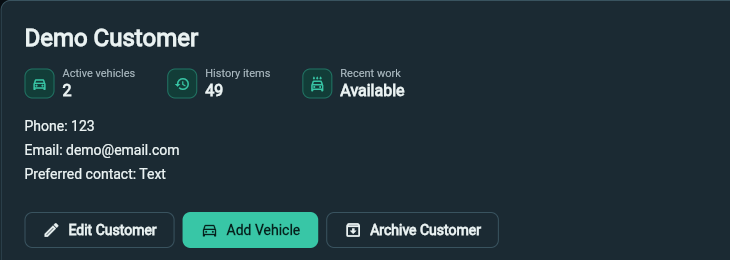
Yes. Customer profiles can keep associated vehicles, recent work, and service history connected so the relationship is not split across separate notes and apps.
Run Your Detailing Business Like a Pro.
Set up your workspace, add your services and customers, and start creating professional estimates and invoices.
Start with a 7-day trial. Card required.